
Get your business ready for seamless e-invoicing with our easy setup guide. By connecting to the PEPPOL network through Xero, you can streamline your invoicing process and take a step towards better financial management. Let’s get started by integrating your system with just a few simple steps.
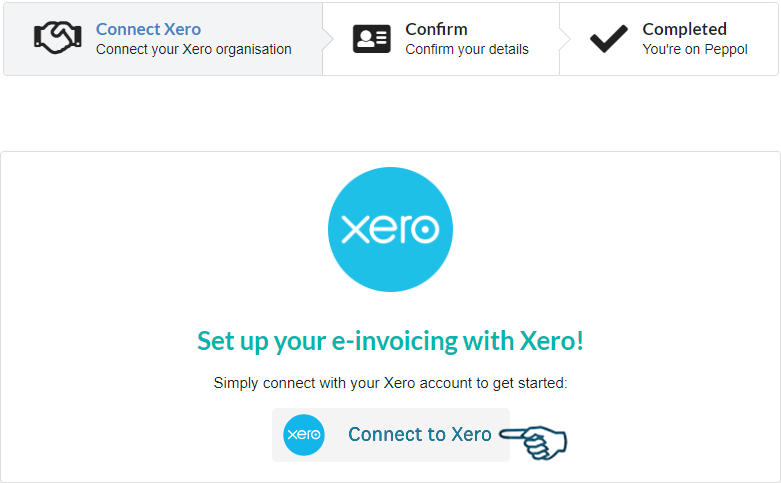
Jumpstart the process by visiting the Invoici integration portal. Directly link your Xero by hitting ‘Connect to Xero’.
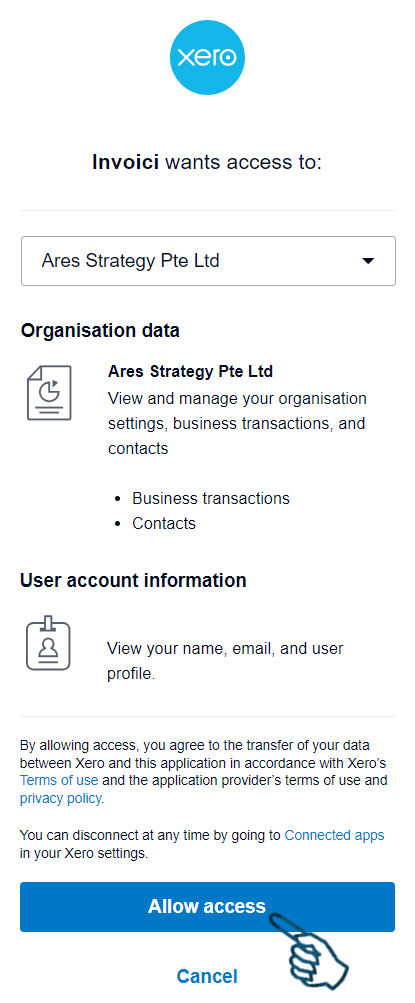
Choose your Xero organisation from the lineup and click ‘Allow Access’.
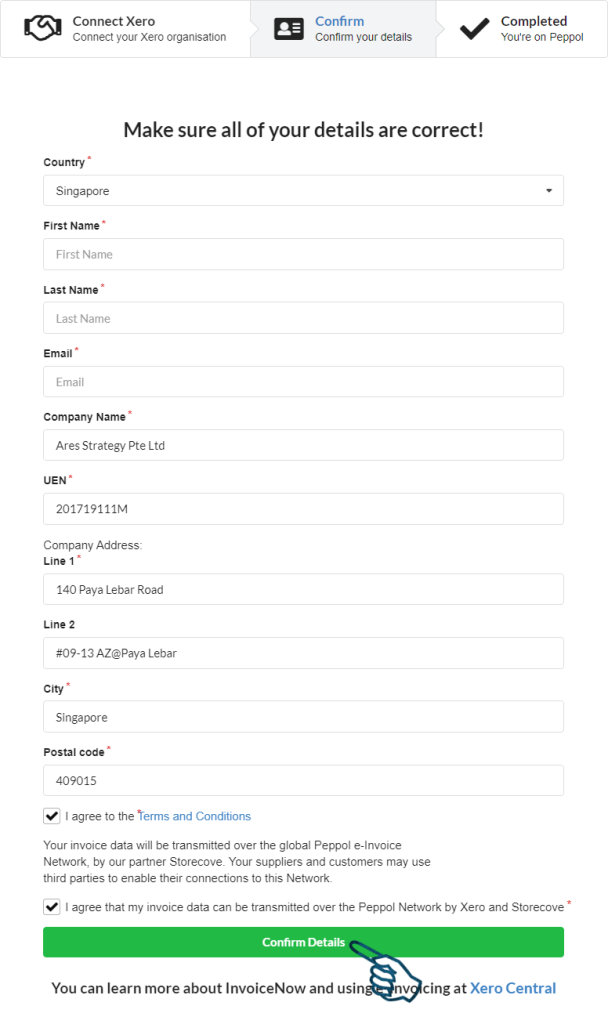
Invoici now taps into your Xero organisation, pulling in business information. Make sure your Unique Entity Number (UEN) is entered correctly.
Check over the information with a keen eye. Once you are ready, select the confirmation boxes and confirm your details. A success message means you are now on the Peppol e-invoicing highway.
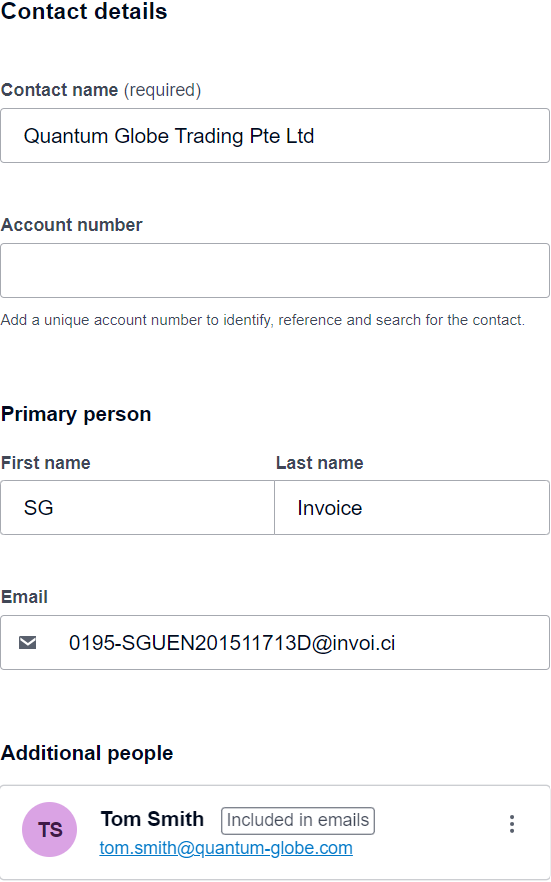
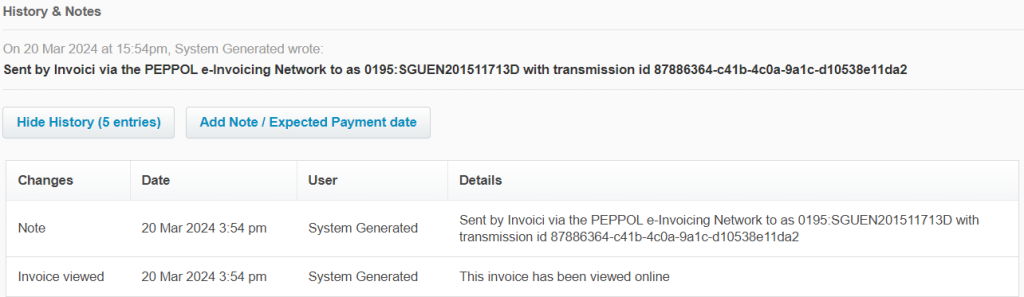
When you want to send an invoice, choose the option to email it. Type in a special email address for e-invoicing that has your company’s UEN in it, like this: [email protected]. Remember to save this email address in your Xero contacts. If your contact already has an email in Xero, just add this new one as a secondary email address and make sure you tick the box to include it in emails.
Pro Tip: Keep this address handy in Xero’s contact records for swift future use.
When you get a bill from your supplier through e-invoicing, it’ll show up as a draft. Check the bill, pick the right account code and tax rate for it, and then confirm it.
Welcome to our website. If you continue to browse and use this website, you are agreeing to comply with and be bound by the following terms and conditions of use, which together with our privacy policy govern Ares Strategy Pte Ltd’s relationship with you in relation to this website. If you disagree with any part of these terms and conditions, please do not use our website.
The term ‘Ares Strategy Pte Ltd’s or ‘Ares Strategy’ or ‘us’ or ‘we’ refers to the owner of the website whose registered address is Ares Strategy Pte Ltd, 140 Paya Lebar Road, #09-13 AZ @ Paya Lebar, Singapore 409015. The term ‘you’ refers to the user or viewer of our website. The use of this website is subject to the following terms of use:
An individual has reportedly impersonated an Ares Strategy Pte Ltd director to request unauthorised payments. A police report has been made.
Do not make payments or share sensitive information without verifying the request through our official contact details published on this website. Please report any suspicious calls or messages to us.